
 Formed in 2009, the Archive Team (not to be confused with the archive.org Archive-It Team) is a rogue archivist collective dedicated to saving copies of rapidly dying or deleted websites for the sake of history and digital heritage. The group is 100% composed of volunteers and interested parties, and has expanded into a large amount of related projects for saving online and digital history.

Private Beiträge sind nur für Teammitglieder und Organisationsinhaber sichtbar, und öffentliche Beiträge sind für alle Mitglieder der Organisation sichtbar. Weitere Informationen findest Du unter „Informationen zu Teamdiskussionen.“
- In der oberen rechten Ecke von GitHub Enterprise klicke auf Dein Profilfoto und dann auf your profile (Dein Profil).

- Klicke auf der linken Seite Deiner Profilseite unter „Organizations" (Organisationen) auf das Symbol für Deine Organisation.

- Klicke unter Deinem Organisationsnamen auf Teams.
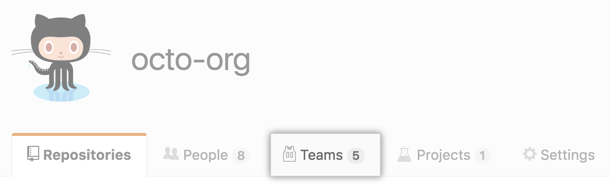
- Auf der Registerkarte „Teams" klicke auf den Namen des Teams.

- Zuoberst auf der Teamseite klicke auf Discussions (Diskussionen).

- Gib einen Titel für die Teamdiskussion und einen ersten Kommentar ein, um eine Unterhaltung zu starten.

- Optional kannst Du über das Dropdownmenü auswählen, ob Dein Beitrag privat oder öffentlich sein soll.

- Klicke auf Comment (Kommentieren).

